

IT asset inventory management
Establish visibility and control over your IT assets and costs
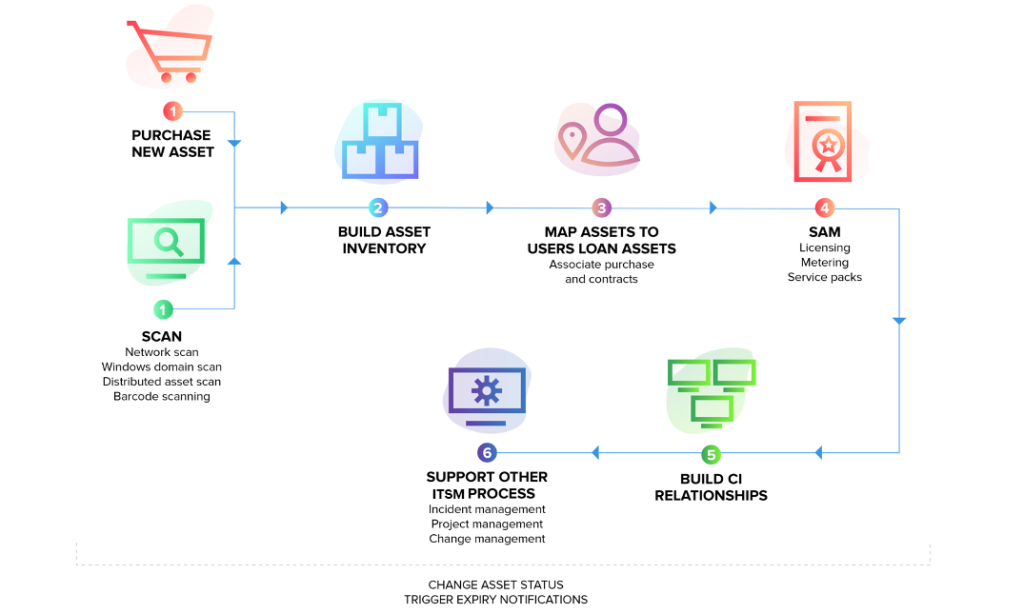
The asset management module in GOIP ITSM is packed with thoughtful features, including multiple methods of scanning assets; agent-based scans, barcode scans, network scans, and more help you import all your assets. Ensure compliance using integrated software license management. The asset management module also seamlessly integrates with other ITSM processes, including incident, problem, and change management, to help you track all tickets associated with your assets.
IT Asset Management workflow in GOIP ITSM
Discover, Manage, and Track
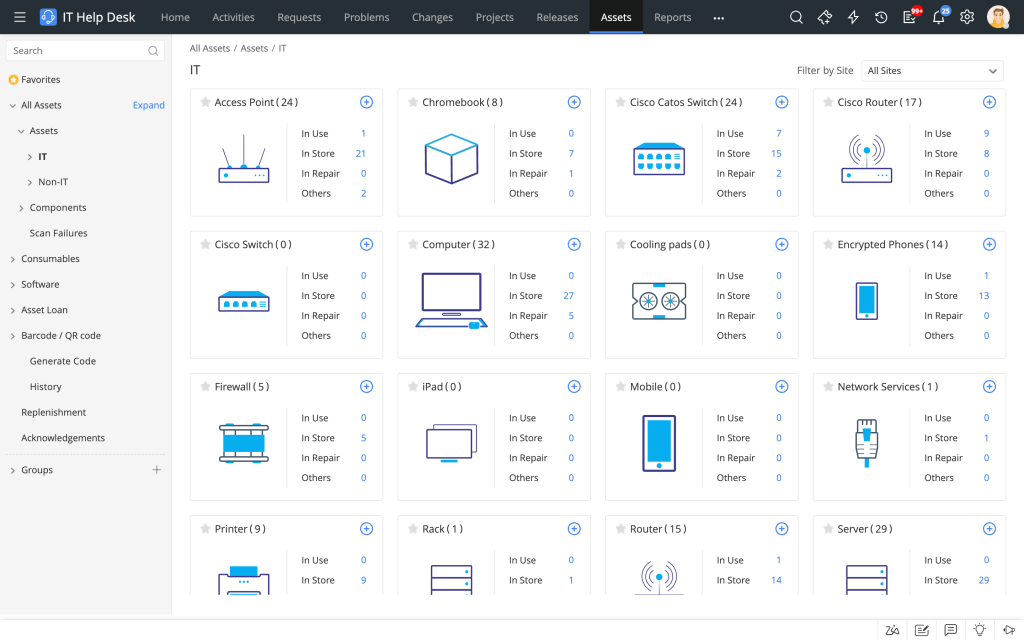
All Your Hardware Assets
– Leverage the unified agent to perform agent-based asset discovery of Windows, macOS, and Linux computers. Deliver seamless remote support with remote ITAM capabilities.
– Build an accurate asset database by discovering and scanning SNMP devices and virtual machines with the network scan.
– Get comprehensive asset information like hardware specification, software installed, scan history, asset ownership history, and asset states in a single pane of glass.
– Build and maintain a separate inventory to manage all your non-IT assets.
– Keep tabs on your IT asset topography using barcode and QR code scanning.
– With the RFID scanning feature available in the ServiceDesk Plus Cloud iPhone app, discover and gather details of multiple IT assets in bulk.
– Build an accurate asset database by discovering and scanning SNMP devices and virtual machines with the network scan.
– Get comprehensive asset information like hardware specification, software installed, scan history, asset ownership history, and asset states in a single pane of glass.
– Build and maintain a separate inventory to manage all your non-IT assets.
– Keep tabs on your IT asset topography using barcode and QR code scanning.
– With the RFID scanning feature available in the ServiceDesk Plus Cloud iPhone app, discover and gather details of multiple IT assets in bulk.
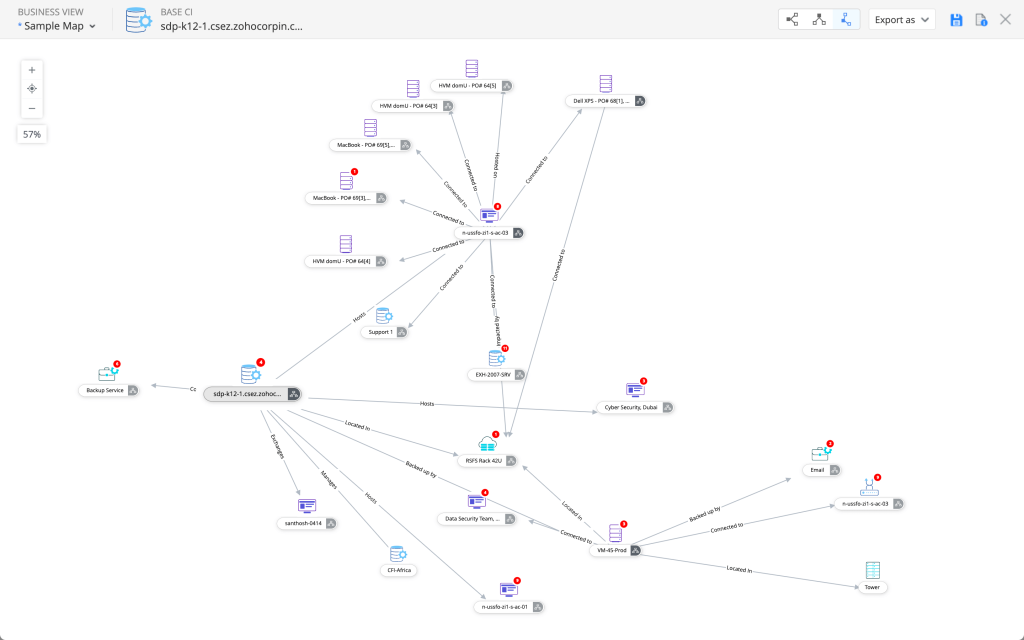
Map Asset Relationships with CMDB.
Understand Your IT Environment Better
– Create a high level of synergy by building relationships between people, assets, and other Configuration Items (CI).
– Use pre-defined and custom relationship types to get a visual view of asset relationships.
– Enable an effective problem management and change management planning by building a logical model of your IT infrastructure in the CMDB.
– Use pre-defined and custom relationship types to get a visual view of asset relationships.
– Enable an effective problem management and change management planning by building a logical model of your IT infrastructure in the CMDB.
Manage Software and Ensure Compliance.
Sail Through Audits Easily
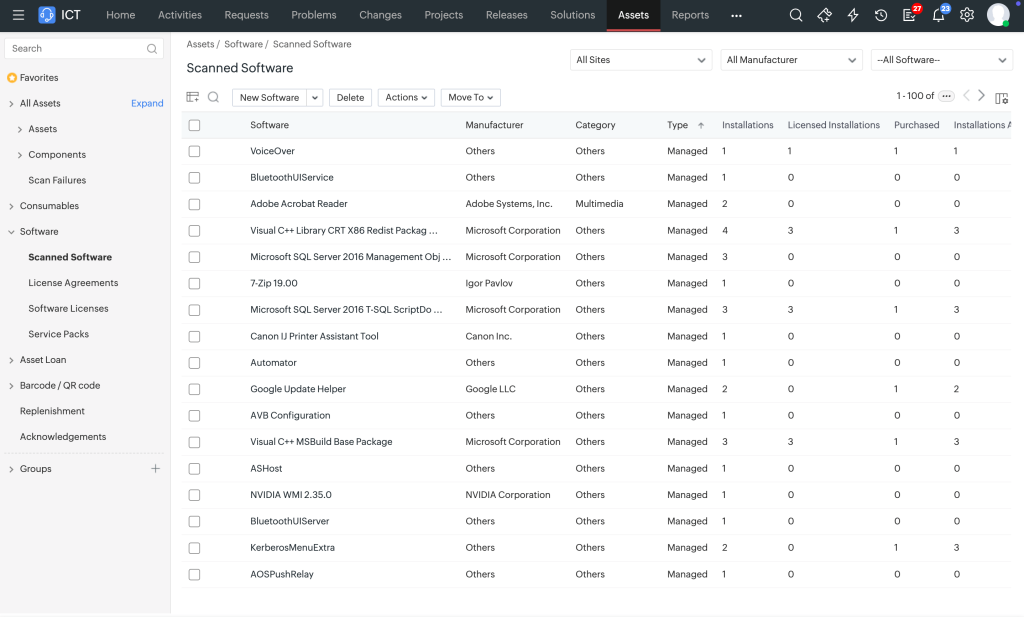
– Improve software governance by monitoring software usage (unused, rarely used, and so on), number of installations, license types, compliance status, and license expiration.
– Isolate vulnerabilities like malware and unauthorized or prohibited software to reduce potential risks.
– Manage software licenses for every software installation on every workstation across the enterprise.
– Track over licensed, under licensed, and compliant software to ensure software license compliance.
– Sail through software audits easily by tracking every installation and allocating individual software licenses across installations.
– Isolate vulnerabilities like malware and unauthorized or prohibited software to reduce potential risks.
– Manage software licenses for every software installation on every workstation across the enterprise.
– Track over licensed, under licensed, and compliant software to ensure software license compliance.
– Sail through software audits easily by tracking every installation and allocating individual software licenses across installations.
Track IT Asset Purchases and Contracts.
Manage IT Budgets Better
– Manage the complete lifecycle of purchase orders with a structured approval and delivery process.
– Maintain a complete product catalog of all assets owned by the company with price and warranty details.
– Maintain a vendor catalog, compare prices from different vendors, and analyze purchase trends to leverage negotiations.
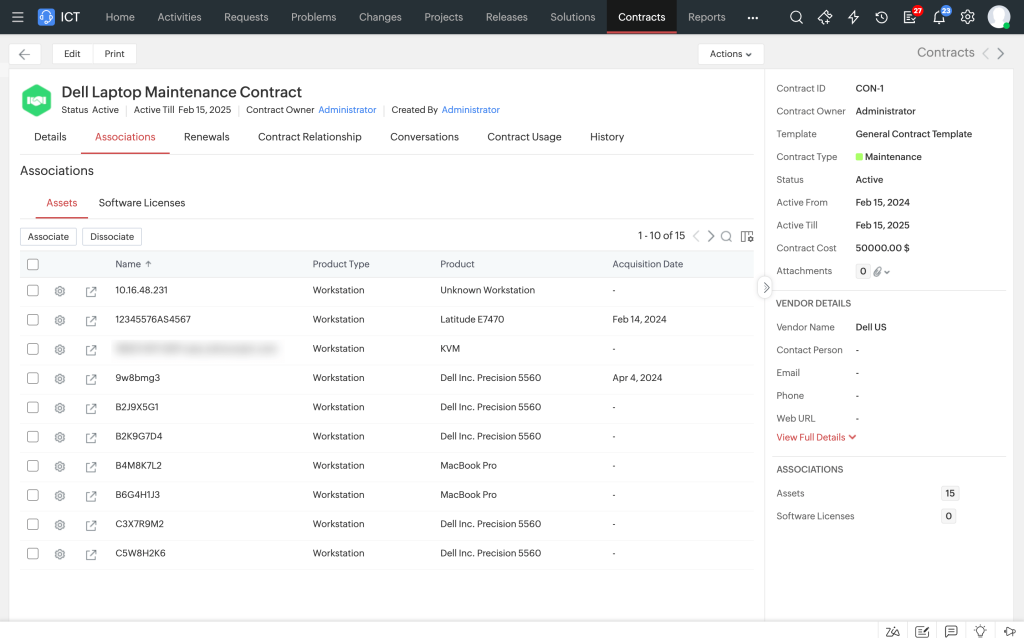
– Keep track of IT contracts and get notified about their expiry in advance.
– Maintain a complete product catalog of all assets owned by the company with price and warranty details.
– Maintain a vendor catalog, compare prices from different vendors, and analyze purchase trends to leverage negotiations.
– Keep track of IT contracts and get notified about their expiry in advance.
Asset management feature checklist
Ready to Elevate Your Global Infrastructure?
Contact Our Enterprise Engineers for a Free Consultation
Maximize your network performance, mitigate cybersecurity risks, and scale your operations with GOIP’s tailored B2B solutions. Schedule a comprehensive architecture review with our expert engineers today.